Parametric CAD
Build plates, pockets, holes, slots and revolved parts from safe, validated parameters. Change one number and the whole part updates — the geometry never breaks.

CAD + CAM · built for CNC
CAMEKOS turns your part design into ready-to-run CNC G-code — parametric CAD, milling and turning toolpaths, simulation and a built-in post-processor in a single modern app.
Windows desktop + Android app · One-time license · No subscription, ever
Most shops jump between a CAD tool, a separate CAM tool and a post-processor. CAMEKOS brings the whole flow — design, toolpaths and G-code — into one place, built to stay simple and fast.
Why CAMEKOS
Most modern CAM lives behind a yearly subscription and a cloud login. CAMEKOS is a one-time purchase that runs on your machine — yours to keep.
Features
Design the part, generate the toolpaths and post safe CNC G-code — for both the mill and the lathe — without leaving CAMEKOS.
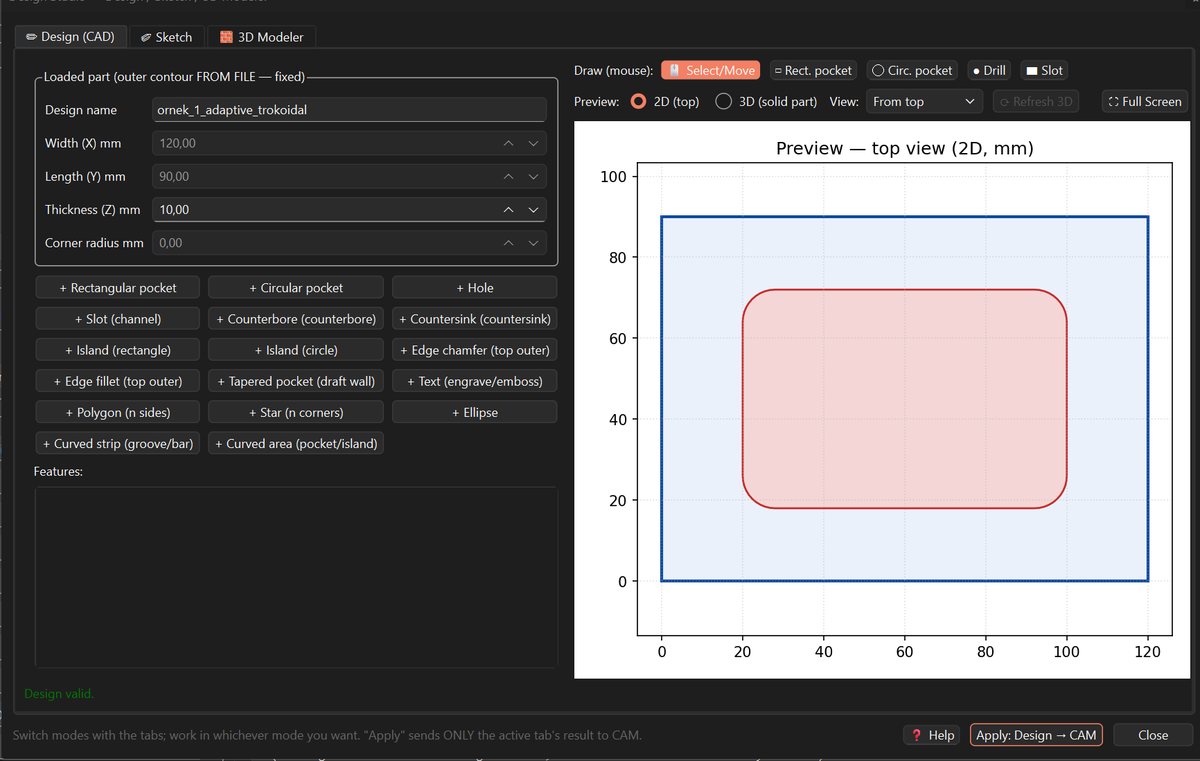
Build plates, pockets, holes, slots and revolved parts from safe, validated parameters. Change one number and the whole part updates — the geometry never breaks.
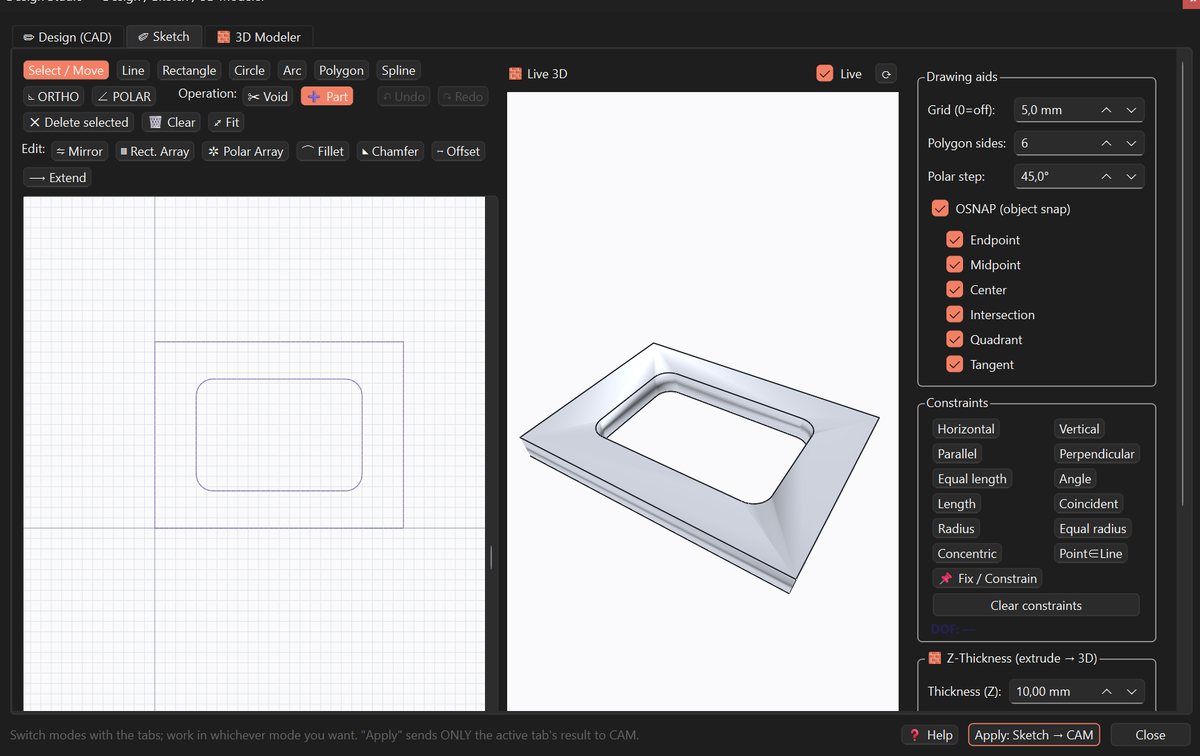
Draw lines, arcs and circles by hand, snap to real dimensions, and export clean DXF geometry straight into the CAM flow.
FreeCAD-powered 3D modeling exports real STEP solids that feed directly into toolpath generation and collision checking.
Adaptive roughing, pocketing, contouring, scallop and 3D surface finishing, plus drilling cycles (G81 / G83 / G73) — with engagement and depth-step control for clean, safe cuts.
Full CNC turning: facing, external (OD) and internal (ID) profiling, grooving, parting / cut-off, boring and drilling — driven from a 2D profile and posted to ready-to-run lathe G-code.
Constant surface speed (G96) with a mandatory G50 safety limit, mm/rev feed, CAM-side nose-radius compensation on finish passes, chip-breaking peck grooves and synchronized rigid tapping.
Clean, controller-ready G-code for both mill and lathe that runs on your machine as-is — a standard G-code dialect, with more controllers supported over time.
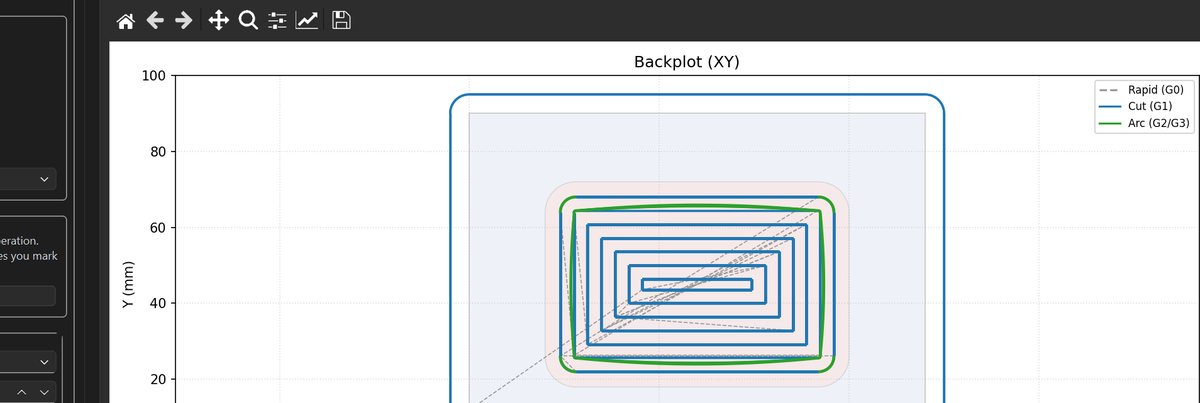
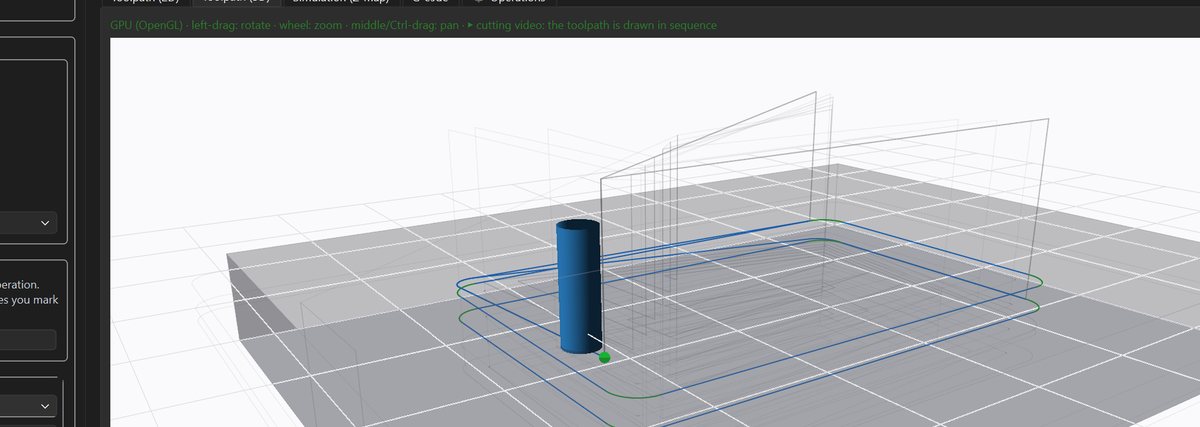
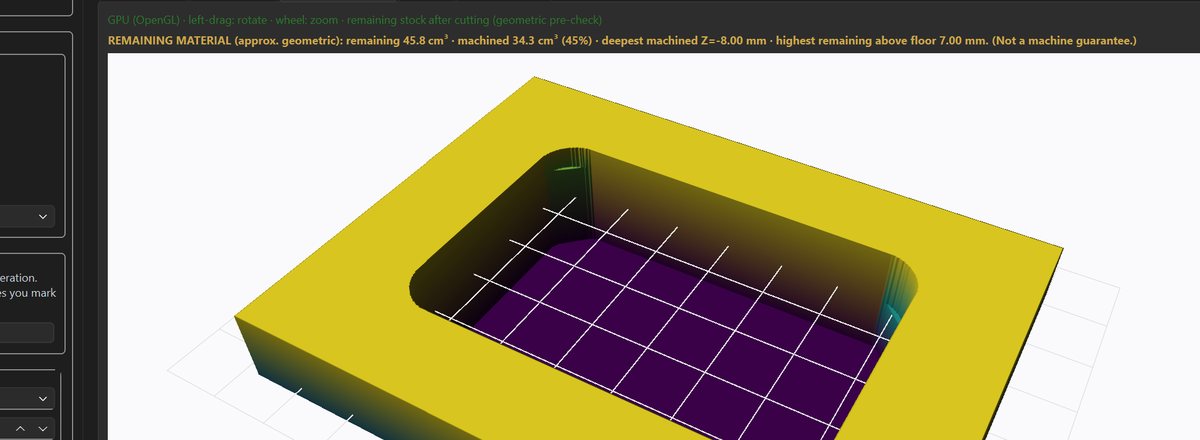
Simulate mill and lathe programs before you cut — verify motion, catch collisions against the remaining stock, and check the result visually. Safety warnings flag anything to confirm from your machine manual.
Flagship · PhotoCAM
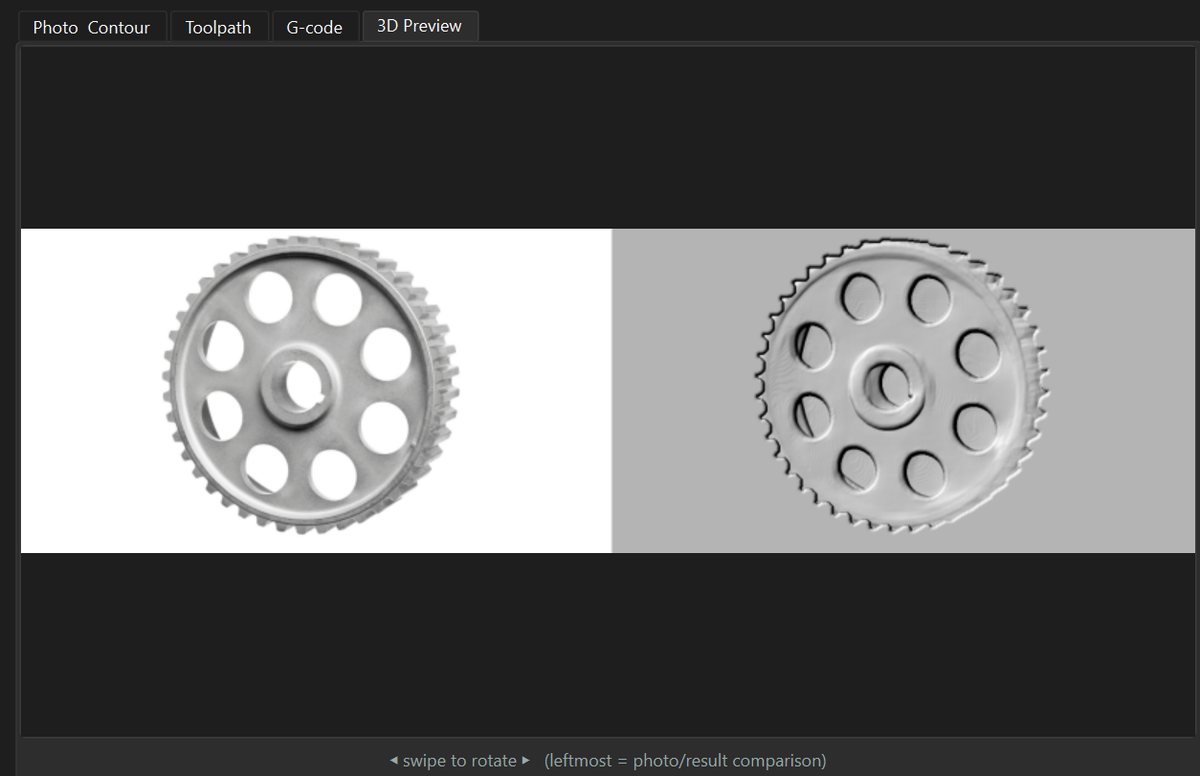
Load any image into CAMEKOS and PhotoCAM turns it into machinable work — generate G-code straight from the picture, or push the result into the CAD and CAM pipeline to refine and toolpath it like any other part.
AI · Design Studio
CAMEKOS has a built-in AI design studio. Describe the part in plain language — or drop in a photo or technical drawing — and the AI sketches it step by step, live in 3D. You refine it, then CAMEKOS turns it into real geometry and ready-to-run CNC G-code.
Tell CAMEKOS what you need — “an 80×40 plate with four M6 holes” — and watch the AI build it live in 3D, step by step.
Attach a part photo or a technical drawing. The AI reads it, asks for any missing dimensions, and clearly flags anything it has to assume.
The AI drafts; CAMEKOS produces the real geometry, toolpaths and safe G-code. You always verify the part in 3D before it reaches the machine.
Works with leading AI engines — Claude, ChatGPT and Gemini — or a fully local model on your own PC.
How it works
Model your part with parametric CAD, a 2D sketch, or a full 3D solid.
Pick operations, set tools and let CAMEKOS compute safe, efficient toolpaths.
Post for your controller, simulate, and send the program to the machine.
The workflow
Inside CAMEKOS
From parametric CAD to verified 3D toolpaths and material simulation — every step lives in one app.
30 languages
The whole app — menus, tools, prompts and the AI studio — runs in 30 languages, so your team works in the language they think in.
Watch
A full walkthrough — from sketch to verified CNC G-code, the PhotoCAM workflow and the AI design studio.
Pricing
$1999 one-time · no subscription
One-time secure checkout via Polar, our reseller & merchant of record. You get your license key and download right after purchase.
FAQ
Yes — one app covers both. On the mill side: parametric CAD, 2D/3D design, adaptive roughing, pocketing, contouring, scallop and 3D surface finishing, and drilling cycles. On the lathe side: facing, OD and ID profiling, grooving, parting/cut-off, boring, drilling and rigid tapping — with constant surface speed (G96), a mandatory safety speed limit and CAM-side nose-radius compensation. Everything posts to clean, ready-to-run CNC G-code.
CAMEKOS runs as a Windows desktop application and also comes with an Android mobile app, so you can design at your desk or on the shop floor. After purchase you receive a download link and a license key.
Only for the first activation. After that CAMEKOS works fully offline, so it fits a shop-floor PC with no network.
Each license activates on 1 machine. You can move it to a new PC anytime by releasing it on the old one first.
CAMEKOS posts clean, ready-to-run G-code in a standard dialect that runs on common CNC controllers as-is, with more added over time. Always verify the first program against your machine and manual.
Checkout is handled by our secure payment partner. You instantly receive your license key and a download link by email.
Contact
Questions before you buy, or need a hand? Send us a message — we usually reply within a day.